

do.php - running custom scripts
The do.php interface runs SAREscript in response to execution requests from an external source through an open endpoint. It works over HTTP and HTTPS (encrypted connections). Invoke it by opening the appropriate link in a browser or sending a request from your application.
To use an endpoint, create a script in SARE under SAREscript -> Browse -> Scripts.
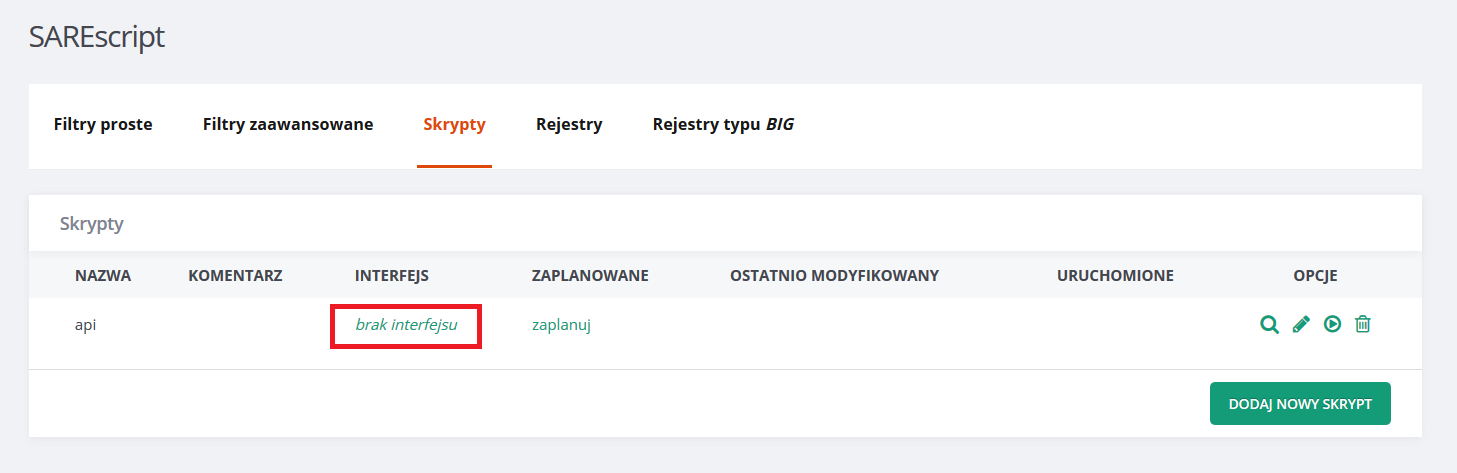
After creating a script, for example one named “api”, assign an interface through which it will be accessible externally. Click the highlighted element:
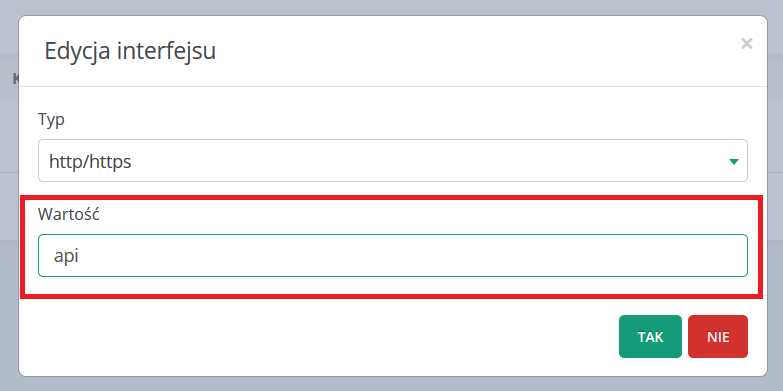
Then enter the endpoint name in the value field. Your script will be available under that name.
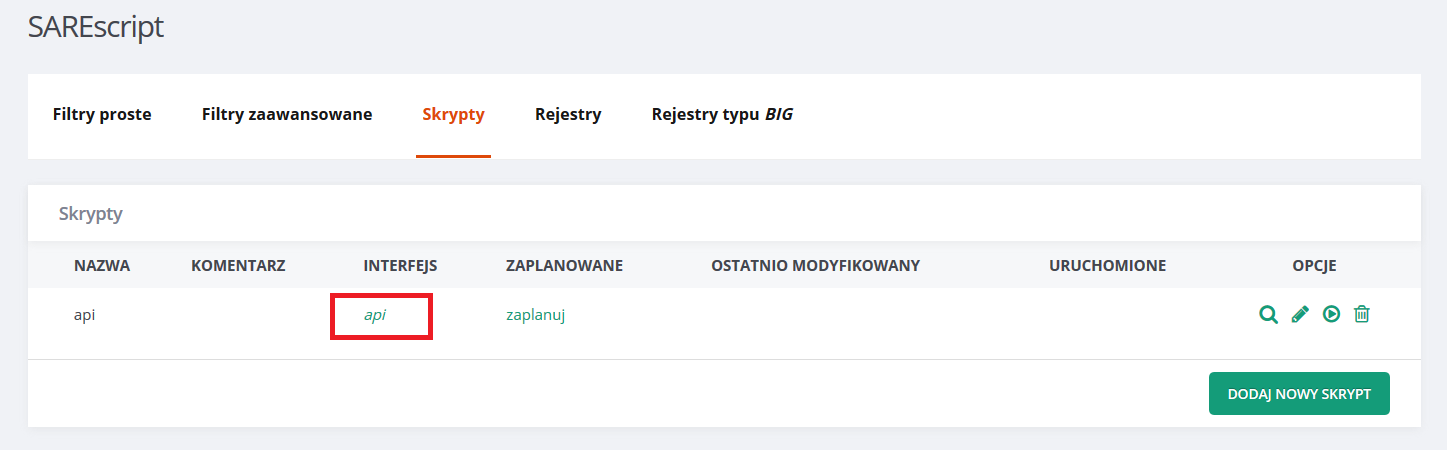
The main script list now shows the updated interface. Click it to see the details.
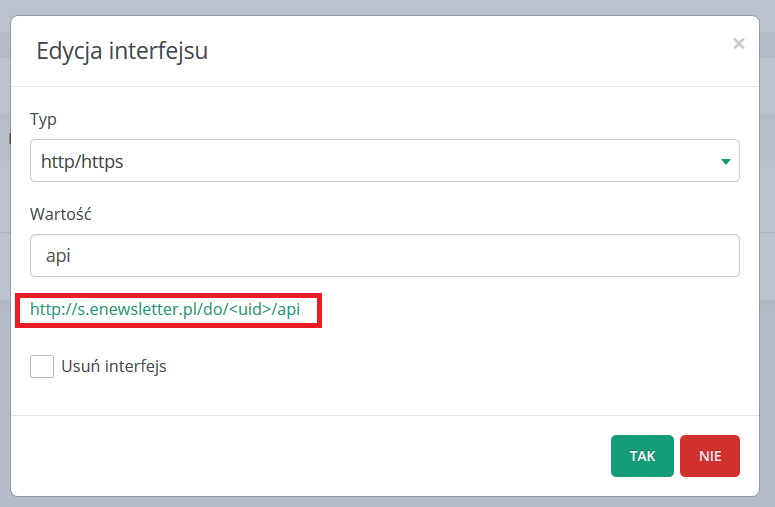
The details include the full endpoint URL and options to rename or remove the interface.
The endpoint accepts data sent through GET or POST.
For GET, use a friendly URL or standard query parameters:
https://s.enewsletter.pl/do/{uid}/api/param1/param2 or https://s.enewsletter.pl/do/{uid}/api?0=param1&1=param2
See get_request() for a simple example of displaying incoming data.
Other functions for retrieving request data:
Remember to secure your do.php script: anyone with its URL can access it.
Download examples of using do.php here.